Platform Scorer App Viewer App Live Streaming Pricing Blog Live scores About Contact Sign Up Free
Broadcast from the ground

Live video, with the score overlay already in the picture

League admins turn streaming on in Console. Scorers go live from the iOS or Android Scorer app. Fans watch in the Viewer app — score card, LIVE badge and key plays (fours, sixes, wickets) are composited into the video.

1

Admin buys credits

Console → Billing. Buy a credit pack with Stripe, or pay a stream seat with card. Credits can also cover stream seats.

2

Enable the match

Open the match → Streaming. Buy seats, then create cameras. That is what the Scorer app lists when you tap Stream.

3

Scorer goes live

iOS or Android Scorer: open the live match, tap Stream, pick a camera, Go Live. Phone camera + overlay go out over RTMPS.

4

Fans watch

Viewer app (iOS, Android, macOS): open the match and tap Watch live. Scores stay on the live match screen alongside the video.
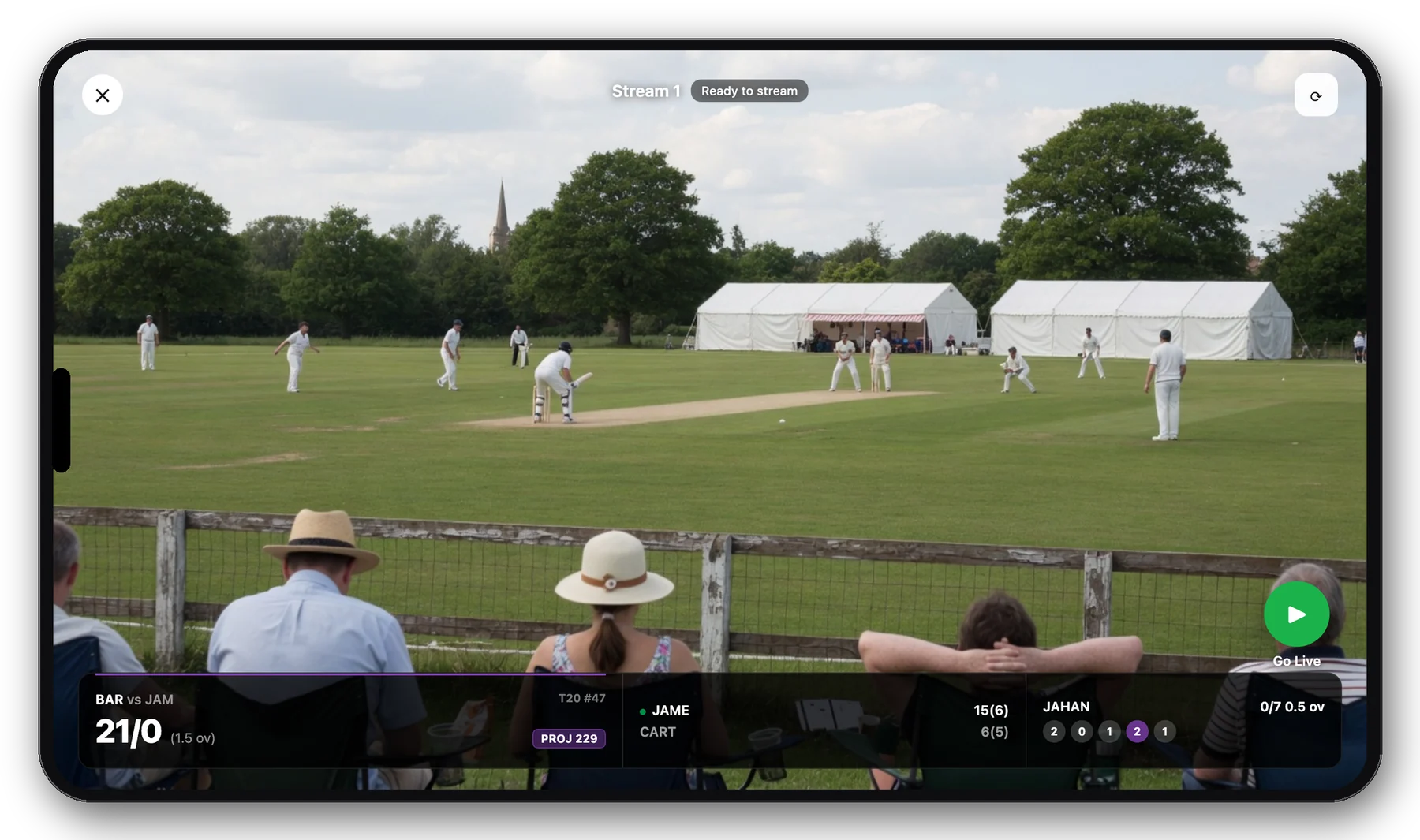
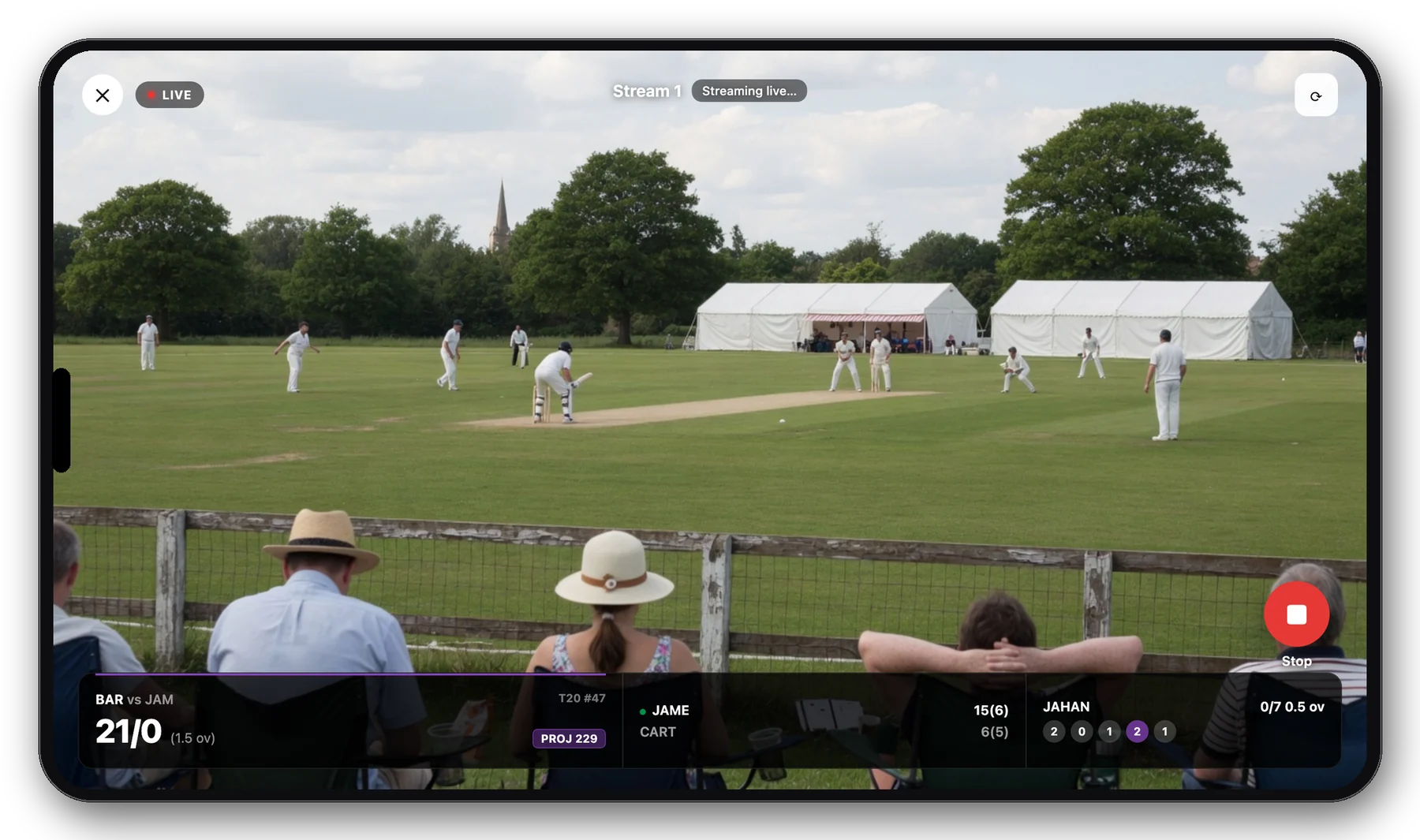
Landscape iPhone Scorer stream ready to go live, cricket field from the boundary

Scorer · Ready to go live

Landscape iPhone live stream with LIVE badge

Scorer · Streaming live

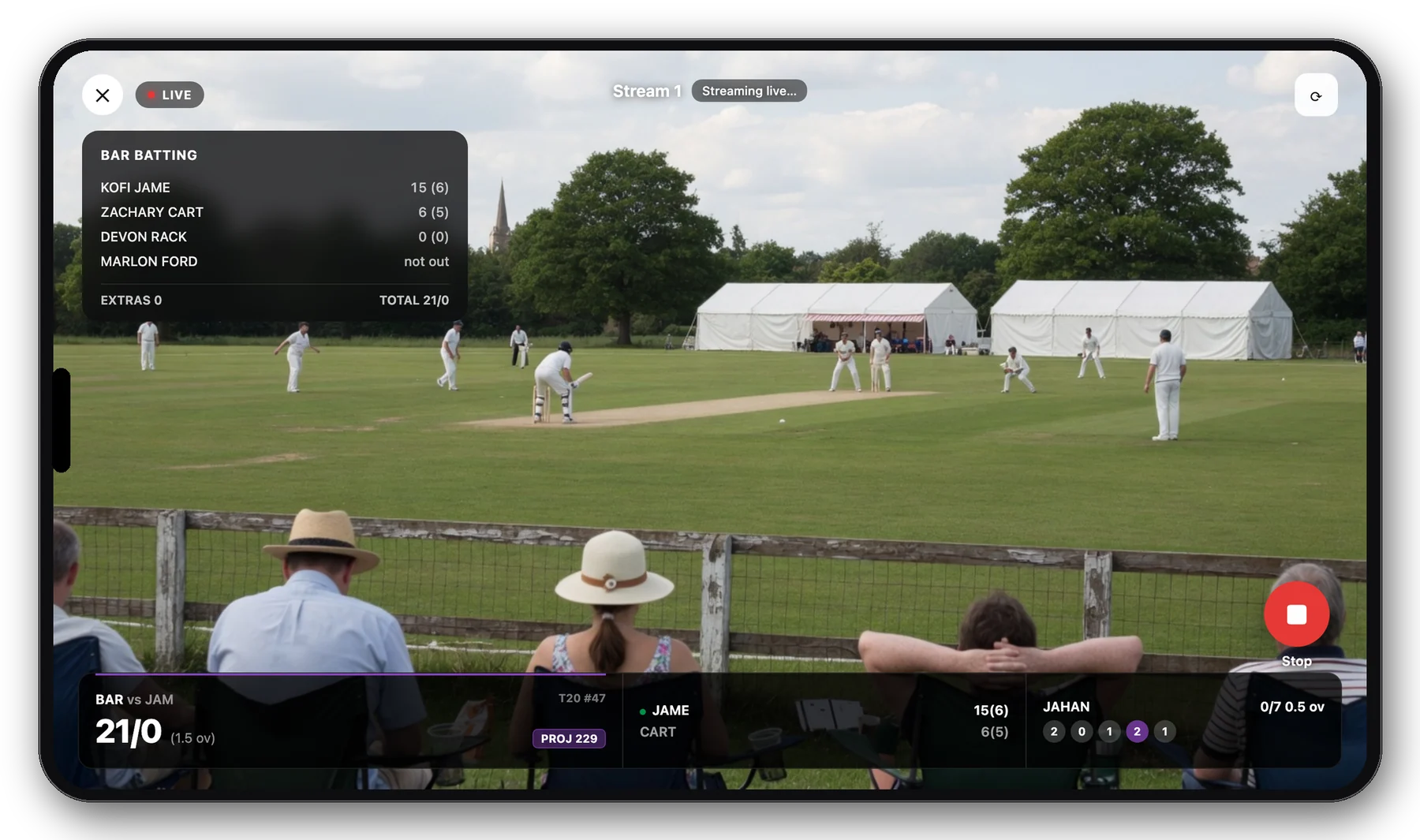
Landscape iPhone with batting card on the live stream

⋯ menu · Batting card

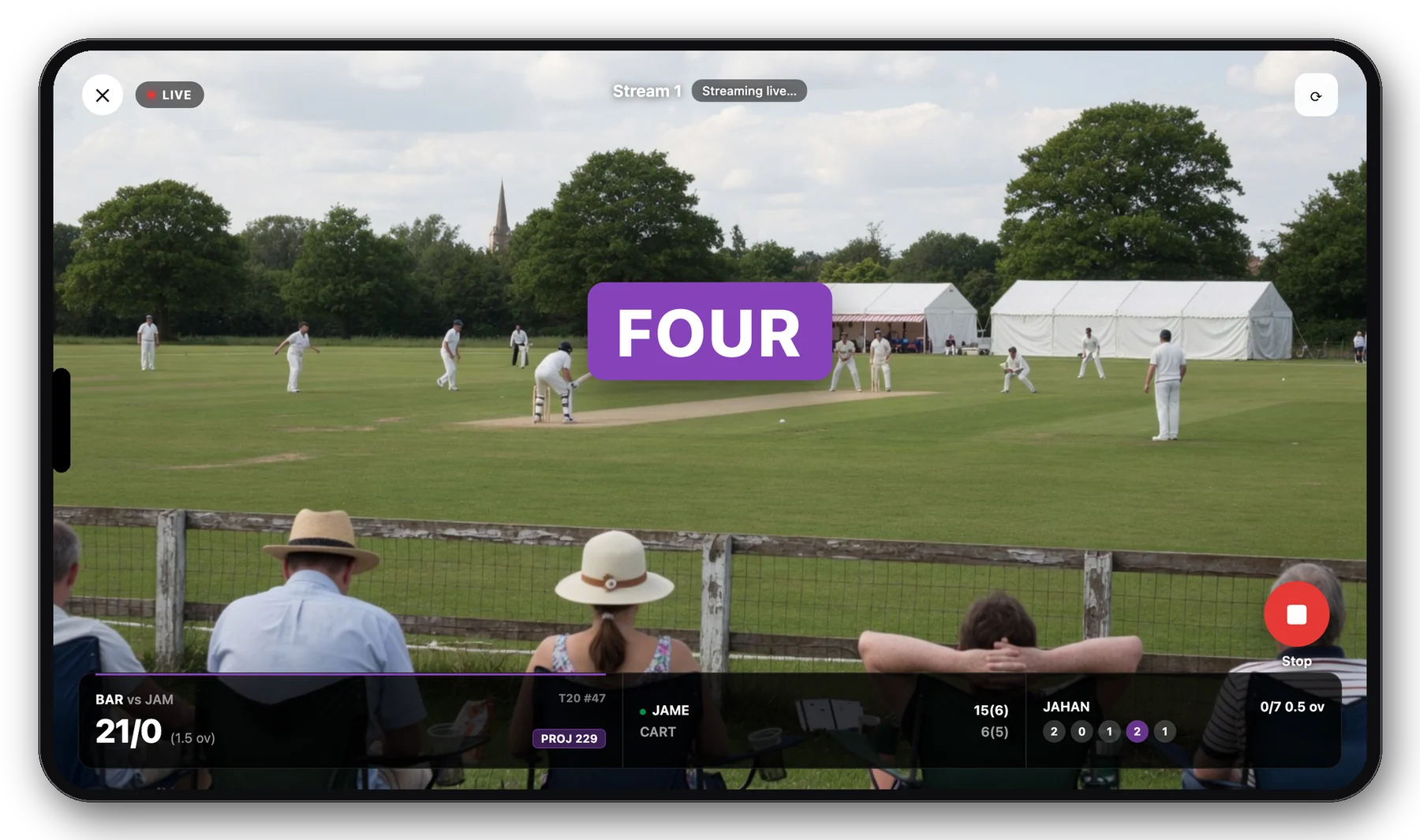
Landscape iPhone stream with FOUR splash

Key play · FOUR

Console

How admins buy credits and turn a match on

Streaming is an organisation setting, not something a scorer can invent from the phone. If Stream shows “no cameras”, the admin has not created them yet.

  1. Sign in to Console at console.scoreblox.com as a league admin.
  2. Buy credits (optional, recommended): open Billing. Choose a credit pack, check out with Stripe. Your org balance updates when payment completes. You can also pay stream seats by card without using credits.
  3. Open the match → Streaming. Buy the number of camera seats you need. If you have enough credits, you can pay the seat from the ledger instead of Stripe.
  4. Create cameras on that same Streaming page. Each camera becomes a live input (Cloudflare). The Scorer app lists those cameras when someone taps Stream on the match.
  5. Need a broadcast overlay in OBS as well? Console also has a score overlay URL for the match. Phone Go Live already bakes the score bar into the video, so OBS is optional.

Scorers cannot buy seats from the app. If they hit an empty Stream screen, they should send this page to an admin — the Scorer app includes an “Ask admin” share for that.

iOS & Android Scorer

Go Live from the scoring phone

Works the same on iPhone and Android. You need a match that already has cameras in Console.

  • Open the live match in the Scorer app
  • Tap Stream, pick a camera
  • Grant camera and microphone, then Go Live
  • Score overlay (LIVE, score card, fours/sixes/wickets) is composited into the video viewers receive
  • Landscape lock while streaming; flip camera and stop from the same screen

Scorer app details

Go Live from the Scorer app, side-on cricket field and score overlay
What fans see: side-on live cricket video with score overlay
Fans Viewer app

Watch live in the Viewer app

On iOS, Android and macOS: open the match, tap Watch live. If the match has more than one camera, switch between them. Live scores stay on the match screen (they are not invented from the video).

  • HLS playback from the same cameras the scorer is sending
  • Overlay (score, LIVE, key plays) is already in the video
  • No extra purchase for fans — the club paid for the seats

Viewer app details

Web

What works in a browser today

Live scores are on the web at console.scoreblox.com/live. League staff can preview the HLS feed in Console on the match Streaming page.

A public fan video player on the website is not a launched product yet — fans should use the Viewer app (including macOS) for Watch live. Broadcast teams can still use the Console score overlay URL in OBS if they are mixing video elsewhere.

console.scoreblox.com/matches/…/streaming

Match streaming

Live input
1
Stream 1
Cloudflare · HLS + RTMPS
Ready
B
Billing
Credits or card for seats
console.scoreblox.com/billing

Turn streaming on for this weekend’s match

Admins start in Console. Scorers only need the Scorer app once cameras exist.

Open Billing Talk to us